
By Patricia Dorsey September 2, 2026
A spare terminal sitting in a drawer is not automatically a backup. If its battery is dead, firmware is outdated, SIM is inactive, Wi-Fi credentials changed, payment application is not signed in, the terminal is mapped to the wrong MID, or no one knows when to switch to it, the business can still lose card acceptance at exactly the moment the backup is needed.
A backup payment terminal should therefore be treated as emergency infrastructure, not unused inventory. Before an event, pop-up, field-service route, seasonal rush, or high-value on-demand shift, the spare needs to be provisioned, updated, connected, charged, secured, transaction-tested, settlement-verified, and assigned to a documented failover procedure.
The central principle is simple:
A spare terminal is not a real backup until it has been provisioned, updated, connected, transaction-tested, settlement-verified, charged, secured, and assigned to a documented failover process.
That means readiness involves much more than confirming that the screen turns on. A useful terminal failover plan must answer where transactions will route, which location and MID the device represents, whether chip and contactless acceptance work, whether the POS sees the payment correctly, how receipts are produced, how batches settle, and what staff should do when the primary terminal produces an uncertain result.
PCI Security Standards Council’s PTS Point of Interaction requirements establish security requirements for payment devices that protect PINs, account data, and other sensitive payment information at the point of interaction.
The practical workflow is:
Identify Failure Risk → Select Spare → Provision Correct Merchant/Location Profile → Update Device → Validate Connectivity → Charge & Equip → Run Controlled Test Transactions → Verify Receipt → Verify Batch/Settlement → Secure Device & Credentials → Train Staff → Define Failover Trigger → Periodically Retest
What Is a Backup Payment Terminal?
A backup terminal is a secondary payment-acceptance device that has been deliberately prepared to replace or supplement a primary terminal when a legitimate hardware, software, connectivity, or operational failure prevents normal payment acceptance.
The important word is prepared. An unopened reader in storage is spare hardware. A device that has been registered but never tested is a configured spare. A device that has successfully completed transaction, receipt, routing, and reconciliation tests is much closer to being a genuine operational backup.
Businesses should distinguish four readiness states:
- Unused spare hardware: The device exists but may not be activated, provisioned, updated, charged, or associated with a merchant account.
- Configured spare: The provider has registered or provisioned it, but operational testing may still be incomplete.
- Tested backup: The device has successfully completed controlled payment, connectivity, receipt, and reporting checks.
- Active redundant terminal: The secondary device is intentionally available for regular or immediate parallel use under a defined operating model.
A tested spare matters because payment terminals are more than card readers. They may contain payment applications, firmware, network profiles, terminal identifiers, certificates, device-management settings, merchant configuration, and provider-managed cryptographic material.
EMVCo maintains approval and evaluation processes for chip and contactless acceptance devices, while PCI Security Standards Council standards address payment-device security and the protection of sensitive payment information.
For field-based teams, reliable mobile acceptance can be particularly important because technicians, contractors, and mobile crews often collect payment at the customer’s location rather than at a fixed checkout. The broader operational considerations are discussed in this guide to mobile merchant services for field-based professionals.
Why Events and Field Crews Need a Tested Spare
Events and mobile operations expose payment devices to failure conditions that are less common at a fixed checkout counter. Terminals move between vehicles, tents, booths, customer homes, temporary work sites, convention halls, festivals, and outdoor service locations.
A primary device can become unavailable because of:
- physical damage;
- a depleted or unhealthy battery;
- a broken charging cable;
- receipt-printer failure;
- weak or unavailable cellular service;
- changed venue Wi-Fi credentials;
- captive-portal problems;
- POS integration failure;
- payment-application errors;
- failed or incomplete software updates;
- device loss or theft.
The objective of an event payment backup is not uncontrolled parallel processing. It is controlled continuity: staff should know when the primary system is actually unavailable, whether any transaction is still in an unknown state, and how to activate a known-good alternative without creating duplicate payments or routing transactions to the wrong merchant profile.
For example, imagine a catering company processing a $1,200 event invoice. The primary terminal freezes immediately after the customer inserts a card. If an employee assumes the transaction failed and immediately charges the backup device, the customer could receive two authorizations.
A stronger process is:
Primary Timeout → Check Processor or POS Status → Determine Original Transaction State → Use Spare Only When Safe
Businesses operating in high-pressure or on-demand environments also need to balance speed with security. Emergency conditions should not encourage employees to bypass approved workflows, store card information for later, share passwords, or use unknown payment applications.
Related operational considerations are covered in balancing speed, security, and convenience in emergency payments.
A Spare Is Not Ready Until It Passes a Drill
A meaningful terminal readiness checklist should test the payment lifecycle rather than merely hardware power.
Use this sequence:
Power On → Connect → Sign In → Take Test Sale → Verify Processor Record → Void or Reverse Appropriately → Print or Send Receipt → Close or Verify Batch → Confirm Settlement Reporting
The drill should answer several questions.
Does the device start normally? Does it connect to its intended Wi-Fi or cellular network? Is the correct production payment application installed? Can an authorized employee sign in? Does a chip payment behave correctly? Does contactless acceptance work if the business relies on it? Does the associated POS recognize the payment?
Then test downstream records. Confirm that the transaction appears in the expected processor or gateway system. Verify the location, MID reference, terminal identifier, amount, and status. Confirm the customer receipt works.
Finally, validate what happens after authorization. Depending on the provider’s workflow, determine whether the test should be voided, reversed, captured, or allowed to reach an initial settlement test.
| Drill Step | Expected Result | Verified? |
| Power | Terminal boots without error | |
| Connectivity | Approved Wi-Fi/cellular path works | |
| Login | Authorized user can access payment app | |
| Chip sale | Transaction processes normally | |
| Contactless | Tap works where supported | |
| POS sync | POS records correct transaction | |
| Processor lookup | Transaction is visible in provider system | |
| Receipt | Required receipt method works | |
| Void/reversal | Appropriate cancellation works | |
| Batch | Transaction appears in expected batch/report | |
| Settlement | Routing matches intended merchant/location |
An approved sale alone is not enough. The more useful chain to validate is:
Terminal Approval → POS Record → Processor/Gateway Record → Void/Reversal or Capture → Batch/Settlement Report
This matters because a terminal can successfully obtain an authorization while another part of the workflow fails. POS synchronization, receipt generation, batch reporting, and funding are separate operational steps.
Should the Spare Use the Same Merchant Account and Location Profile?
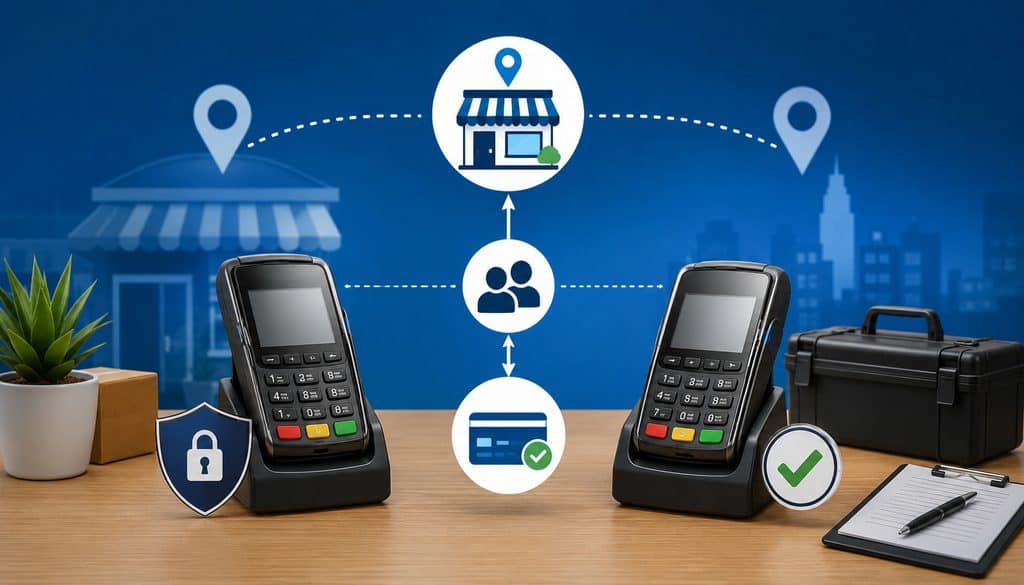
Usually, a spare intended to replace a primary device should be provisioned to the merchant account, MID, and location or channel profile appropriate for the transactions it will actually process. That does not mean blindly copying every setting from the primary terminal.
The correct configuration depends on the merchant’s acquiring architecture.
The terms should be distinguished carefully:
- Merchant account: The commercial payment-processing relationship under which the merchant accepts card transactions.
- MID: A merchant identifier used within the acquiring or processing environment.
- Store/location profile: The provider’s logical representation of a particular business location or operating unit.
- Terminal ID: A terminal-level identifier assigned within a processor, acquirer, POS, or gateway environment.
- Device serial number: The hardware manufacturer’s unique device identifier.
- Gateway: Technology that transmits and manages payment transactions between merchant systems and processing infrastructure.
- POS: The business system where orders, products, taxes, tips, inventory, or customer transactions may be recorded.
MID, location ID, terminal ID, and device serial number should never be treated as interchangeable.
Same Store, Same Merchant
For a spare that exists solely to replace a primary terminal at the same physical location, it will often need to route transactions through the same approved merchant and location structure.
However, even if the merchant and location are the same, the device may have its own:
- terminal ID;
- hardware serial number;
- device-registration record;
- certificates;
- device-management identity;
- authentication credentials.
That is why “clone the primary terminal” is unsafe as a general instruction.
The correct approach is to ask the processor, acquirer, gateway, or POS provider how a second device should be registered for that merchant/location arrangement.
For example, a restaurant’s countertop primary and portable spare may both settle to the same merchant account while remaining separately identifiable in terminal-level reporting. That separation can be valuable when finance investigates a failover incident.
Maintain a mapping such as:
| Device | Assigned Location | MID Reference | Terminal ID | Settlement Account Verified? | Backup For |
| Primary-01 | Store A | Masked | T-101 | Yes | — |
| Spare-01 | Store A | Masked | T-114 | Yes | Primary-01 |
Never expose full sensitive identifiers unnecessarily in general staff documentation.
Multi-Location Merchants and Event Locations
Multi-location businesses need tighter controls because a perfectly functioning spare can still create a serious accounting problem if it routes Store A’s revenue under Store B.
Use this hierarchy as a sanity check:
Legal Entity → Location → MID → Terminal ID → Device
If a shared regional spare pool supports several stores, operations should confirm with the provider whether the device can be securely reassigned between approved locations and what configuration or reprovisioning is required.
Temporary events require the same discipline. Depending on the acquiring setup, an event may properly operate under:
- an existing location profile;
- a mobile merchant configuration;
- an approved temporary-event profile;
- a separate MID;
- another provider-defined arrangement.
Do not use an incorrect MID or location simply because a device technically processes a payment.
Before calling the spare ready, verify that the test transaction appears under the intended location, merchant record, terminal/device, reporting hierarchy, and settlement destination.
Select a Spare That Supports the Actual Payment Workflow
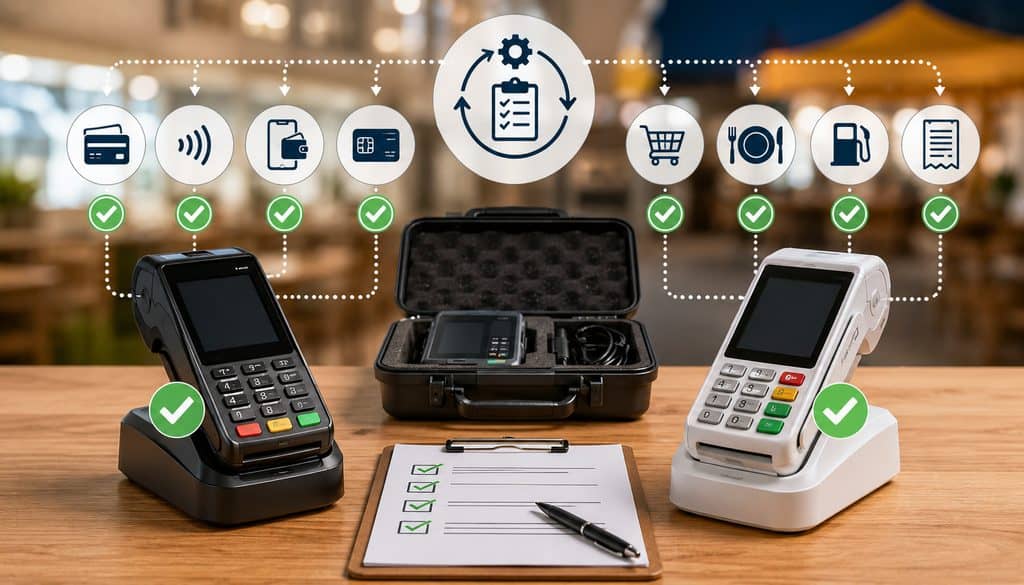
The most useful spare is not necessarily the cheapest additional reader. It should support the payment methods and operational dependencies the business actually needs during a disruption.
Depending on the business, evaluate:
- EMV chip acceptance;
- EMV contactless;
- mobile wallets;
- PIN debit where required;
- Wi-Fi;
- cellular connectivity;
- POS integration;
- receipt printing;
- digital receipts;
- required peripherals;
- charger and cradle compatibility;
- mounting or protective accessories.
For contactless hardware, EMVCo’s contactless product approval process evaluates whether acceptance devices and their payment kernels sufficiently conform to applicable EMV specifications.
EMVCo’s acceptance-device processes evaluate elements of chip and contactless device conformance, reinforcing why businesses should use supported payment hardware rather than improvised acceptance methods.
A business evaluating payment hardware more broadly can also review the practical considerations in this credit-card processing equipment guide.
Like-for-Like Spare vs. Different Backup Device
A like-for-like spare uses the same or closely related terminal family as the primary device. This can simplify training, charging, accessories, and transaction workflows.
It may also make replacement easier because employees see familiar menus and receipt behavior.
A different backup device can reduce some shared dependencies. For example, a venue might use a wired or Wi-Fi primary device but keep a provider-approved cellular terminal as its portable terminal backup.
That independence can be valuable, but it introduces more variables. Staff may need to learn another interface, reporting workflow, charger, and transaction sequence.
| Requirement | Primary | Spare | Verified? |
| Chip | |||
| Contactless | |||
| PIN debit | |||
| Wi-Fi | |||
| Cellular | |||
| Printer | |||
| POS integration | |||
| Digital receipt |
The best choice reduces meaningful shared failure points without making the backup too complicated to use correctly.
Firmware, Payment Apps, Device Software, and Cryptographic Provisioning
This is one of the most important staging areas because a terminal that has been stored for months may power on successfully yet still require software or configuration updates before it can process transactions.
The update method depends on the terminal ecosystem. Some devices use centrally managed automatic updates, while others require provider-authorized deployment, scheduled device-management actions, or manufacturer-supported procedures.
For example, Stripe documents that supported readers receive software updates through its terminal environment and that required updates may prevent a reader from accepting payments until installation finishes. This illustrates why a stored spare should reconnect before deployment rather than first discovering an update when customers are waiting.
Firmware, Applications, and Operating Software
During staging, verify separately:
Firmware
- supported provider-approved version;
- security or functional updates completed;
- normal restart after update;
- payment functions retested.
Payment application
- correct production application;
- supported app version;
- correct merchant and location configuration;
- correct gateway or processing endpoint.
Operating-system/device software
- required system updates;
- device-management enrollment;
- certificates or profiles where applicable;
- approved Wi-Fi/cellular configuration.
Do not install unofficial firmware or sideload unknown payment applications.
| Item | Required Version/State | Spare Status | Verified By |
| Firmware | Provider-supported | ||
| Payment app | Current production version | ||
| Device software | Supported | ||
| Key provisioning | Approved/valid | ||
| SIM/profile | Active | ||
| Merchant configuration | Correct |
Avoid scheduling an optional major update immediately before an important event. Stage updates early enough to reboot, reconnect, transact, and correct problems.
Cryptographic Key Provisioning
Payment-terminal cryptographic keys require special care.
Merchant staff should verify that the device has been properly key-injected or remotely provisioned by the authorized payment provider or approved key-management process. Staff should not copy, export, type, photograph, email, message, or otherwise handle payment cryptographic keys themselves.
PCI-listed payment environments include recognized key-injection facilities and remote-key-loading services, illustrating that payment-key provisioning is a controlled specialized function rather than a merchant troubleshooting step.
The correct operational question is not “Where is our encryption key?” It is:
“Does the processor or authorized terminal-management system show this device as correctly provisioned for production payment acceptance?”
Never put cryptographic keys in a deployment checklist, spreadsheet, password manager, email, runbook, or backup kit.
Connectivity and Battery Readiness
A mobile POS backup plan is only useful if the terminal can reach the payment provider from the location where it will actually be used.
Office testing is helpful, but event payment continuity requires site-specific testing. Venue construction, basement locations, crowd density, local carrier coverage, temporary networking, and Wi-Fi restrictions can change the result.
Check:
- cellular activation;
- SIM/eSIM status;
- provider account status;
- Wi-Fi SSID;
- authentication credentials;
- captive portals;
- signal quality;
- processor connectivity;
- roaming limitations where relevant;
- approved hotspot compatibility.
The FCC’s National Broadband Map can provide reported mobile coverage information, but the FCC notes that its mobile coverage layers represent expected outdoor or in-vehicle connectivity and do not show indoor coverage. That makes actual-site verification essential.
A stronger redundancy design might use:
Primary Terminal on Venue Wi-Fi → Spare Terminal on Cellular
rather than placing both terminals on one hotspot.
Two devices are weak redundancy if both depend on the same failing:
- hotspot;
- USB cable;
- router;
- power adapter;
- Wi-Fi credentials;
- extension cord.
The broader architecture tradeoffs between physical terminals and connected gateway environments are discussed in cloud-native gateways versus on-premise terminals.
How Often Should the Spare Be Charged and Retested?
There is no universal charging or retesting interval.
Build a documented cadence around:
- manufacturer battery guidance;
- battery age and condition;
- storage temperature;
- event frequency;
- shift duration;
- expected transaction volume;
- printing workload;
- network use;
- software-update frequency;
- operational cost of failure.
At minimum, event-driven readiness checks are sensible:
- after extended storage;
- before an important event;
- before a high-value on-demand shift;
- after firmware or application updates;
- after a SIM or carrier change;
- after Wi-Fi changes;
- after processor, gateway, or POS configuration changes;
- after the spare was used during a real incident.
Pack the charger, an approved cable, cradle if needed, and any manufacturer-approved power accessory. Do not assume an arbitrary battery percentage or runtime applies across terminal models.
Follow the manufacturer’s storage recommendations rather than intentionally leaving a spare discharged for long periods.
Test Sales, Voids, Receipts, Batches, and Settlement
A controlled payment test is the strongest evidence that the spare can perform its intended job.
Where supported and operationally relevant, test:
- chip/EMV sale;
- contactless sale;
- PIN debit if the business depends on it;
- POS synchronization;
- receipt generation;
- processor or gateway record;
- void or authorization reversal;
- batch behavior;
- settlement routing.
Use provider-approved test cards, test modes, or sandbox tools where available. If the provider requires a legitimate live transaction for production validation, follow its instructions and avoid inventing a universal test amount.
| Test | Expected Result | Spare Result | Processor Record Verified? |
| Chip sale | Approved and recorded | ||
| Contactless sale | Approved and recorded | ||
| POS sync | Correct order/payment linkage | ||
| Receipt | Correct receipt produced | ||
| Void/reversal | Original transaction canceled appropriately | ||
| Batch/settlement | Correct merchant/location reporting |
Why an Approved Test Sale Is Not Enough
Authorization proves only part of the payment lifecycle.
A stronger drill validates:
Terminal Approval → POS Record → Processor/Gateway Record → Void/Reversal or Capture → Batch/Settlement Report
That distinction matters because these terms describe different states:
- Test authorization: A controlled authorization used to verify payment processing.
- Void: Cancellation of an eligible transaction before or within the provider’s settlement workflow.
- Reversal: A message intended to reverse or release an authorization according to the payment system’s process.
- Refund: A new credit transaction typically performed after an original payment has been captured or settled.
- Batch: A grouping of transactions submitted or recorded for settlement.
- Settlement: The financial clearing/settlement process associated with completed card transactions.
- Funding: Deposit of merchant proceeds according to the provider/acquirer arrangement.
Do not automatically issue a refund when a controlled test can appropriately be voided or reversed according to provider procedures.
If refund handling is operationally important during a failover, run a separate controlled refund exercise under provider instructions.
Receipt and Settlement Tests
Test every receipt method the team may actually use:
- printed receipt;
- email receipt;
- SMS receipt where supported;
- customer copy;
- merchant copy where operationally required.
For a printer, verify paper feeds, printing is legible, the correct paper is packed, and spare rolls fit the terminal.
Importantly, receipt failure does not automatically mean payment failure. A successful payment can exist even if the printer jams or a digital receipt fails. Staff must verify transaction status before attempting another payment.
During initial spare terminal provisioning, complete a full settlement-routing test when feasible:
Test Transaction → Batch → Processor Settlement Report → Funding/Deposit Verification
Initial staging should prove the entire lifecycle. Routine pre-event tests may focus on power, connectivity, current transaction behavior, processor visibility, and receipt functionality, with full funding verification repeated when configuration changes or risk warrants it.
For background on how payment reporting and final funds movement can differ from authorization, see understanding payment settlement for urgent transactions.
| Check | Date Tested | Passed? | Tester | Notes |
| Power/battery | ||||
| Cellular/Wi-Fi | ||||
| Sale | ||||
| Void/reversal | ||||
| Receipt | ||||
| Settlement |
Prevent Duplicate Charges During Failover
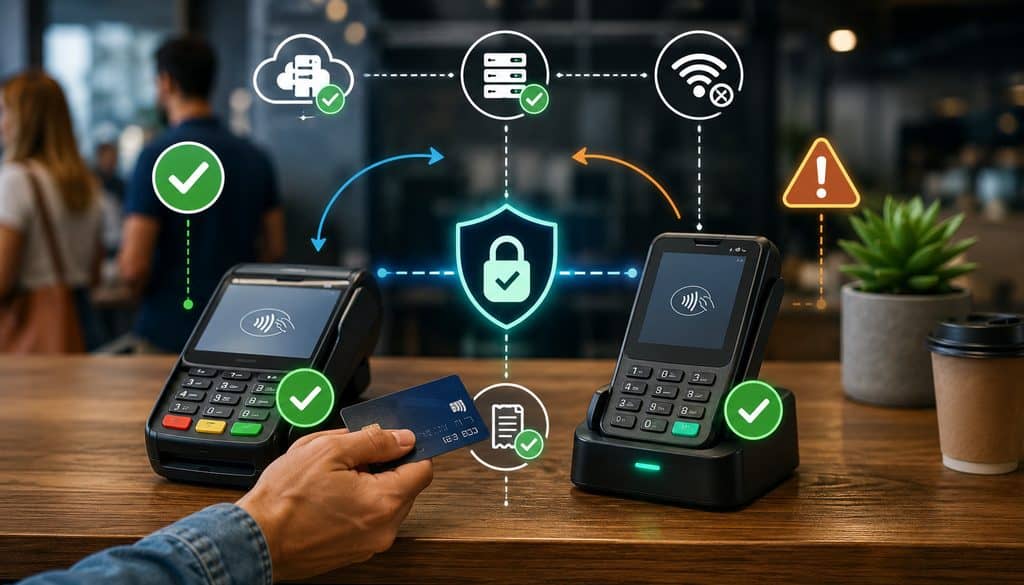
One of the most dangerous mistakes during terminal failover is treating a frozen screen or timeout as proof that payment failed.
After card data has been submitted, several states may exist. The issuer may have approved the transaction even though the primary terminal lost connectivity before receiving or displaying the final response. The POS may also fail to update even though the processor recorded the payment.
Therefore:
Never immediately rerun a card when the original payment state is unknown.
Use this workflow:
Primary Timeout → Check POS/Processor/Gateway → Determine Original Transaction State → Resolve Unknown Attempt → Fail Over Only When Safe
If the device failed before payment submission—for example, it would not power on—the situation is clearer. If the terminal timed out after the card was inserted, tapped, or otherwise submitted, transaction-state verification should come first.
Unknown vs. Confirmed Failure
Confirmed device failure before payment submission
The business can generally move to the spare according to its failover procedure because no payment attempt was made.
Unknown payment state
Staff should search the authorized transaction system using available non-sensitive identifiers such as order number, transaction reference, amount, approximate time, or provider-defined payment ID.
Integrated POS and API environments may also support idempotency keys or unique payment-attempt identifiers. When correctly implemented, these mechanisms can help applications avoid creating duplicate payment objects when a request is retried after a communication interruption.
The operational principle is more important than any specific technology:
Find out what happened to the first payment before creating a second one.
A declined card is different. A legitimate issuer decline does not mean the terminal has failed and should not automatically trigger use of the spare.
When Should Staff Fail Over?
Staff should not improvise the decision during the incident. Define explicit conditions beforehand.
Appropriate failover triggers may include:
- primary terminal will not power on;
- terminal is physically damaged;
- payment application cannot operate through approved recovery steps;
- primary network is unavailable before a payment is submitted;
- device has been lost or removed from service;
- POS/payment integration is unavailable and the documented alternate terminal workflow is approved;
- processor or POS support directs the team to switch;
- another predefined operational incident occurs.
Printer failure may justify failover when a printed receipt is genuinely required and no approved digital or separate printing method exists. If the payment process remains functional, however, a printer problem alone may not justify switching devices.
| Situation | Fail Over? | First Action |
| Terminal will not power on | Usually | Confirm no payment is pending; activate spare |
| Card declined | No | Handle decline normally |
| Wi-Fi unavailable before payment | Possibly | Use approved alternate network or spare |
| Timeout after card submitted | Not yet | Verify original transaction state |
| Printer failed | Depends | Confirm payment status and approved receipt alternative |
| POS integration offline | Depends | Follow documented integration contingency |
Once failover is justified, use:
Identify Failure → Protect Transaction State → Confirm Primary Out of Service → Activate Spare → Verify Merchant/Location Profile → Run Quick Smoke Test → Begin Transactions → Log Failover → Monitor → Reconcile
A quick smoke test should verify connection, correct location/profile, POS synchronization where required, and a provider-approved payment check if practical.
Define roles before the event:
- Who declares failover?
- Who retrieves and activates the spare?
- Who contacts processor/POS support?
- Who tracks unresolved transactions?
- Who reconciles activity afterward?
Do not invent a universal threshold such as “switch after 60 seconds.” Each business should establish a response objective appropriate to its environment without sacrificing transaction-state verification.
Credentials, Support Contacts, Runbooks, and Incident Logs
Emergency access should be fast without making sensitive credentials insecure.
Keep support information and authentication secrets in different systems.
Support contacts can be stored in a controlled operational runbook that authorized staff can reach during an outage. Useful entries include:
- processor support;
- POS support;
- terminal vendor;
- internal IT;
- cellular carrier;
- venue IT;
- escalation manager.
Sensitive credentials should be kept in an approved password manager or enterprise credential-management platform. NIST recommends password managers and multifactor authentication as important ways to protect account access, particularly by supporting unique credentials instead of repeatedly reused passwords.
Do not store passwords in:
- paper taped to the terminal;
- spreadsheets;
- messaging threads;
- unprotected notes;
- equipment cases.
A quick-reference card can safely contain non-sensitive operational information such as:
- asset ID;
- intended location;
- masked MID reference;
- support telephone numbers;
- escalation path;
- short failover workflow.
Do not place passwords, API secrets, bank-account data, cryptographic keys, full PANs, or CVVs on that card.
A QR code can point to an internal runbook, but sensitive content behind the code should still require proper authentication.
| Problem | First Contact | Backup Contact | Information to Provide |
| Terminal hardware | Device/POS support | Internal IT | Asset ID, serial |
| Payment status | Processor/gateway | POS support | Transaction reference, amount, time |
| POS integration | POS provider | Processor | Order/payment reference |
| Cellular connection | Carrier/device support | Internal IT | Device/SIM reference |
| Settlement | Processor/acquirer | Finance | Batch, terminal, date |
During failover, record:
- incident time;
- primary asset;
- spare asset;
- failure reason;
- last known payment state;
- first successful spare transaction reference;
- employee responsible;
- support case number;
- return-to-primary time.
| Time | Primary Device | Spare Device | Failure | Action | Transaction Risk | Resolved? |
This documentation gives finance and support a reliable sequence of events instead of relying on memory after a stressful shift.
Secure Storage, PCI DSS, and Device Inspection
A spare terminal remains part of the payment environment even while it is not actively processing transactions.
PCI SSC states that applicable deployed point-of-interaction devices should be inventoried and periodically inspected for tampering or unauthorized substitution, with relevant staff trained to recognize suspicious changes.
For stored and deployed spares, maintain an inventory such as:
Asset ID → Serial Number → Terminal ID → MID/Location → SIM/Network → Charger → Assigned Team
Before leaving for an event, inspect the unit for:
- correct asset and serial;
- unexpected physical damage;
- unrecognized attachments;
- unusual changes around card-reader slots;
- damaged ports or cables;
- provider/manufacturer tamper warnings.
Keep guidance defensive. Employees should not dismantle payment equipment or attempt to defeat security protections.
Store spares in controlled-access locations appropriate to manufacturer environmental guidance. A regional warehouse may be secure, but if the event terminal is two hours away from the crew, it is not an immediate field payment continuity solution.
Never Store Card Data “For Emergency Use”
Payment downtime must never become an excuse to capture sensitive authentication information outside approved systems.
Do not:
- write full card numbers on paper for later;
- photograph payment cards;
- save PANs in a spreadsheet;
- text card information to the office;
- store CVV;
- type sensitive payment data into unauthorized software.
Use only approved payment methods and documented provider procedures.
PCI SSC’s PTS POI program defines security requirements for payment devices that protect PINs and account data, reinforcing the need for supported payment hardware rather than insecure improvisation.
Lost or Stolen Spare
If the spare disappears:
- report the loss immediately;
- disable or deactivate the device where supported;
- revoke associated user access as appropriate;
- notify the payment provider;
- preserve relevant activity and management logs;
- follow the organization’s payment-security incident procedure.
Never assume an unused terminal poses no risk simply because it was stored as a backup.
Staff Training and the Failover Drill
Even a technically perfect spare can fail operationally if no one knows where it is or how to use it.
Staff should know:
- where the device is stored;
- who can access it;
- how to power and connect it;
- how to confirm the correct location/profile;
- how to sign in securely;
- how to process the required payment types;
- where to find support contacts;
- when failover is allowed;
- when a transaction must be checked before retry;
- who reconciles spare-terminal activity.
A safe practice drill can simulate the primary device being unavailable without intentionally interrupting live payments.
Use:
Primary Terminal Simulated Unavailable → Staff Identify Incident → Confirm No Payment Is Pending → Retrieve Spare → Power/Connect → Confirm Location → Run Approved Smoke Test → Resume Simulated Workflow → Document
The goal is not to meet an invented universal switch-over time. Measure whether employees can follow the procedure reliably and identify bottlenecks.
For example, an event team might discover that the terminal works perfectly but the password manager requires an MFA device held by someone who is not attending the event. That is exactly the kind of operational dependency a drill should expose.
Before an on-demand field shift:
Before Departure → Power Check → Network Check → App Login → Quick Test → Pack Charger → Confirm Failover Procedure
Before an event opens:
- inspect primary and spare;
- verify charge;
- verify primary network;
- verify backup network;
- confirm spare location/profile;
- run the appropriate smoke test;
- verify receipt method;
- brief staff;
- confirm support contacts.
For a multi-day event, charge and inspect equipment at the end of each day, replenish paper, reconcile payment activity, review incidents, and retest if configuration changed.
Retesting, Change Management, and Multi-Location Strategy
A calendar reminder alone cannot determine readiness. A terminal that passed a drill months ago may no longer be ready after payment software, carrier, gateway, Wi-Fi, merchant-account, or POS changes.
Trigger additional testing after:
- terminal replacement;
- firmware update;
- payment-app update;
- processor migration;
- MID/location reconfiguration;
- gateway change;
- SIM or carrier change;
- POS integration change;
- extended storage;
- failed real-world use.
Record the change:
| Change | Device | Date | Retest Required? | Result |
| Firmware update | ||||
| SIM change | ||||
| Location reassignment | ||||
| Payment-app update |
Provider documentation can illustrate why change-based testing matters. Some managed terminal platforms deliver required reader software updates automatically, and a required update may need to complete before payment acceptance can resume.
Different organizations will also need different hardware strategies.
One spare per location provides fast availability but increases hardware and maintenance requirements.
Regional spare pool reduces inventory but creates physical-access delays and requires careful reassignment controls.
Crew-based spare can work well for field-service businesses whose payment risk moves with technicians rather than fixed stores.
There is no universal spare-to-primary ratio. Determine the appropriate number based on:
- payment criticality;
- number of active terminals;
- event duration;
- field mobility;
- replacement lead time;
- historical failures;
- access distance;
- customer impact if card acceptance stops.
A spare stored 100 miles from the event may be inventory, but it is not immediate event POS backup.
Reporting, Reconciliation, and Returning to the Primary Terminal
The work is not finished once the spare takes the first successful payment.
After failover, finance needs to prove:
Primary Transactions + Spare Transactions = Complete Event or Shift Payment Activity
Even when both devices share the same merchant account or location structure, they may have different terminal IDs, transaction reports, batches, or processor references.
Depending on configuration, backup activity could create:
- a separate batch;
- a separate terminal report;
- a distinct settlement record;
- device-level reporting under the same deposit.
Reconcile by terminal and batch when possible.
| Device | Terminal ID | Batch | Gross Sales | Refunds | Settlement | Reconciled? |
| Primary | ||||||
| Spare |
Switching back should also be controlled.
Use:
Primary Repaired → Verify No Unknown Transactions → Test → Close/Document Backup Activity → Return to Primary
Avoid unnecessary oscillation between devices. If employees keep moving back and forth, order ownership and transaction reconciliation become harder.
If both terminals must operate simultaneously, establish clear transaction ownership so two cashiers do not accidentally process the same order.
After a real incident, conduct a short post-incident review:
- Why did the primary fail?
- Did the spare work immediately?
- Was connectivity adequate?
- Were credentials accessible securely?
- Did staff follow transaction-state checks?
- Were duplicates created?
- Were receipts correct?
- Did transactions settle correctly?
- What should change before the next event?
| Issue | Root Cause | Backup Worked? | Customer Impact | Corrective Action |
Common Backup Terminal Mistakes and Readiness Matrix
Many failures are predictable.
Common mistakes include:
- keeping an unprovisioned device and calling it a backup;
- discovering a dead battery at the event;
- inactive SIM service;
- stale Wi-Fi credentials;
- outdated firmware;
- wrong merchant profile;
- wrong location or MID;
- expired employee access;
- missing printer paper;
- missing charger;
- failing to test POS integration;
- never testing settlement routing;
- sharing passwords on paper;
- trying to handle encryption keys manually;
- failing to define when staff should switch;
- rerunning a card immediately after an unknown timeout;
- forgetting to reconcile the backup batch;
- storing the device where event staff cannot access it;
- failing to retest after configuration changes.
A useful final readiness matrix is:
| Readiness Area | Status |
| Correct merchant/location | |
| Correct MID mapping | |
| Unique/approved terminal ID | |
| Firmware current | |
| Payment app current | |
| Key provisioning valid | |
| Cellular/Wi-Fi active | |
| Battery charged | |
| Charger packed | |
| Receipt method tested | |
| Sale tested | |
| Void/reversal tested | |
| POS sync verified | |
| Settlement verified | |
| Credentials secure | |
| Support contacts available | |
| Staff trained | |
| Failover rule documented |
If any critical item is uncertain, the spare should be considered conditionally ready rather than fully proven.
Questions to Ask Before Deployment
The business cannot independently determine every terminal behavior. Provider-specific provisioning, software, settlement, batch, key-management, and device-health functions should be confirmed with the organizations responsible for them.
Ask the processor or acquirer:
- Can this spare be provisioned to the same merchant/location profile?
- Does the spare require its own terminal ID?
- Does it need a separate MID?
- How is cryptographic key injection or remote provisioning handled?
- Can the device remain unused but ready?
- Can a dormant device, SIM, or terminal registration expire?
- How should production test transactions be performed?
- How do we verify settlement routing?
- Can primary and spare devices be active simultaneously?
- What is the recommended process after a transaction timeout?
- What support contact should event staff use?
- What happens if the spare has not connected for an extended period?
Ask the terminal or POS provider:
- Which firmware and payment-app versions should run?
- How are updates distributed?
- Does the terminal require periodic check-in?
- Can approved configuration be pushed remotely?
- How should employees verify the assigned location?
- What happens when connectivity disappears during a transaction?
- Can the POS recover or reconnect a successful payment after a timeout?
- How are batches closed?
- Can battery or device health be monitored?
- What retesting is recommended after software changes?
Operations should also answer internally:
- Who owns the spare?
- Where is it stored?
- Who keeps it charged?
- Who conducts drills?
- Who can declare failover?
- Who contacts support?
- Who reconciles backup activity?
- What happens if both devices fail?
- Which non-sensitive information must remain available offline?
These answers turn payment terminal failover from improvisation into an operating procedure.
Frequently Asked Questions
What is a backup payment terminal?
A backup payment terminal is a secondary card-acceptance device that has been properly provisioned, updated, connected, charged, secured, and tested so it can replace a primary terminal during a legitimate failure. It should be associated with the appropriate merchant/location structure and tested beyond a simple power-on check.
A complete readiness drill includes payment acceptance, processor visibility, receipt behavior, cancellation or reversal procedures, and appropriate batch or settlement verification.
Should a spare terminal use the same merchant account?
Often, a spare that replaces a primary device at the same location will process under the same appropriate merchant account and location structure. However, the processor or acquirer must determine the correct arrangement.
Multi-location, mobile, franchise, and event merchants may require different profiles or MIDs. Never assume that copying a primary terminal’s merchant configuration is correct for every deployment.
Does a backup terminal need its own terminal ID?
It often does, but provider architecture determines the answer. Two devices can be associated with the same merchant or location while retaining different terminal IDs, serial numbers, device registrations, or certificates.
Do not duplicate a terminal identity manually unless the provider’s authorized provisioning process specifically supports the arrangement.
Can one backup terminal be used for multiple locations?
Possibly, if the processor, POS, or terminal-management platform supports controlled reassignment or multi-location use. The business must ensure each transaction routes under the correct legal entity, location, MID, reporting hierarchy, and settlement structure.
A terminal should never be moved between stores and used under an incorrect location simply because it can process a card.
How should firmware be updated on a spare card terminal?
Use the processor-, acquirer-, manufacturer-, or payment-platform-approved update method. This may involve automatic remote updates, a terminal-management system, or another supported process.
Connect stored devices early enough for required updates to complete and then retest transactions. Do not install unofficial firmware or wait until minutes before an important event to discover a large update.
Who should manage terminal encryption keys?
Payment cryptographic keys should be managed through approved processor/acquirer, manufacturer, key-injection-facility, or remote-key-management processes.
Merchant staff should confirm the device is properly provisioned, not handle the keys themselves. Employees should never copy, export, manually type, photograph, email, message, or store terminal cryptographic keys.
What transactions should be tested before an event?
Where supported and relevant, test chip acceptance, contactless, PIN debit if necessary, POS synchronization, receipts, processor visibility, void/reversal functionality, and appropriate batch or settlement reporting.
Use provider-approved test tools when available. If a live production test is required, use a controlled legitimate transaction under provider policy rather than inventing a universal test amount.
Should a spare terminal test a void or refund?
A void or authorization reversal should generally be tested where supported because staff may need to cancel the controlled staging transaction.
Refund testing is separate and may be appropriate when refund handling is part of the operational backup workflow. Do not create unnecessary refunds when the test can properly be canceled before settlement under provider procedures.
How do you verify a backup terminal settles to the correct account?
Trace the staging payment from the terminal into processor or gateway reporting. Confirm the correct location, MID reference, terminal identifier, batch, reporting hierarchy, and expected settlement destination. During initial provisioning, it can be useful to complete a full test through settlement and funding so finance knows exactly where spare-terminal activity appears.
How often should a spare terminal be charged?
There is no universal interval. Follow the device manufacturer’s battery and storage guidance and create a readiness cadence based on event frequency, storage duration, battery condition, expected shift length, printing load, and operational risk. Always check charge before important deployments and after extended storage.
How often should a backup card terminal be retested?
Use a risk-, event-, and change-based approach. Retest before important events or shifts and after firmware updates, payment-app updates, processor changes, location/MID changes, SIM or carrier changes, long storage, or real-world use. A device that passed months ago may no longer be correctly configured today.
Where should terminal credentials and support contacts be stored?
Passwords and sensitive credentials belong in an approved password manager or enterprise credential system, ideally with appropriate MFA and role-based access.
Support phone numbers, device asset IDs, masked merchant references, and failover instructions can be stored in a controlled operational runbook. Never place passwords, API secrets, full card numbers, CVVs, or cryptographic keys on an emergency quick-reference sheet.
When should staff switch from the primary terminal to the backup?
Use predefined triggers such as physical failure, inability to power on, an unrecoverable approved-network problem before transaction submission, payment-application failure, or provider support direction. A normal card decline is not a terminal failure. If the primary device times out after card submission, first determine whether the original payment succeeded.
What should staff do if the primary terminal times out during a payment?
Do not immediately rerun the card. Check the POS, gateway, or processor system to determine the original transaction’s status. Use the order number, transaction reference, amount, time, or other approved identifier. Only move to the spare and create another payment once the business has determined that doing so will not duplicate an existing transaction.
What should be included in a backup terminal deployment kit?
Pack the charged terminal, approved charger and cable, receipt paper where needed, protective case, approved hotspot if the business uses one, and a non-sensitive quick-reference runbook. The kit should not contain passwords, full merchant banking information, cardholder data, cryptographic keys, or API secrets.
Conclusion
Reliable payment continuity requires more than buying an extra card reader. A backup payment terminal becomes operationally useful only when the business knows exactly which merchant and location profile it represents, how it connects, whether its software is supported, whether provider-managed key provisioning is valid, whether transactions reach the correct processor record, and whether those transactions ultimately reconcile correctly.
The strongest deployment process follows the entire chain:
Identify Failure Risk → Select Spare → Provision Correct Merchant/Location Profile → Update Device → Validate Connectivity → Charge & Equip → Run Controlled Test Transactions → Verify Receipt → Verify Batch/Settlement → Secure Device & Credentials → Train Staff → Define Failover Trigger → Periodically Retest
Do not blindly clone terminal identities. Do not let employees handle cryptographic keys. Do not store payment-card information for emergencies. Do not assume an authorization disappeared because a terminal screen froze. And do not wait until the middle of a busy event to learn that the spare has an inactive SIM, expired access, outdated software, or the wrong MID.
When a spare has been staged, transaction-tested, settlement-verified, securely stored, and rehearsed with staff, payment terminal redundancy becomes a controlled business-continuity capability rather than a piece of hardware sitting in a drawer.
Payment terminal provisioning, firmware management, cryptographic key processes, merchant/location configuration, network behavior, batch handling, settlement, and failover procedures vary by processor, acquirer, terminal manufacturer, gateway, and POS platform. Before deployment, verify device-specific requirements and production procedures with the organizations responsible for your payment environment.