
By Patricia Dorsey September 2, 2026
A payment terminal that works perfectly in the office can fail at a crowded festival, construction site, parking lot, convention hall, customer property, or temporary kiosk. The processor may be operating normally; the real problem may be cellular coverage, overloaded venue Wi-Fi, poor battery planning, or the absence of a tested backup connection.
That is why choosing between a cellular payment terminal and a Wi-Fi Payment Terminal should be treated as a deployment decision rather than a hardware preference.
Mobility, transaction patterns, site conditions, network ownership, signal quality, batteries, printers, peripherals, security, and fallback options all affect whether a terminal remains usable when customers are ready to pay.
The most important principle is simple: the best terminal connection is the one that has been validated at the actual selling location.
Cellular can reduce dependence on venue infrastructure, while properly engineered merchant-controlled Wi-Fi can provide excellent connectivity for a fixed booth or group of terminals. Neither should be selected on assumptions alone.
A reliable deployment should follow this sequence:
Business Model → Location Pattern → Transaction Volume → Connectivity Survey → Terminal Selection → Carrier/Wi-Fi Validation → Battery & Peripheral Planning → Fallback Connectivity → Site Testing → Live Deployment → Monitoring → Post-Event Review
The rest of this guide explains how to apply that framework to pop-ups, event merchants, contractors, field-service businesses, mobile crews, and temporary retail locations.
What Is a Cellular Payment Terminal?
A cellular payment terminal is a portable payment device capable of communicating with payment services through a cellular network using a supported modem and SIM, eSIM, or similar provisioning arrangement.
Depending on the terminal and provider, cellular connectivity may use technologies such as LTE or 5G, but businesses should verify the actual radio and carrier support of the device they are considering.
The main attraction is independence from a local Wi-Fi network. A technician traveling between homes, a mobile repair crew, or an outdoor vendor may be able to process payments without requesting a customer’s Wi-Fi password or depending on an event organizer’s network.
Cellular connectivity can also simplify temporary deployment because there may be less local network configuration to perform. A provisioned cellular POS terminal may connect wherever its supported carrier has usable service.
However, cellular is not automatically reliable everywhere. Performance can be affected by:
- Weak indoor coverage
- Building materials that reduce radio penetration
- Remote or rural locations
- Carrier-specific dead zones
- Network congestion during large gatherings
- SIM or data-plan provisioning problems
- Roaming restrictions
- Device radio limitations
Large crowds can also load cellular infrastructure heavily. A festival with thousands of attendees may create problems for both Wi-Fi and mobile networks, which is why actual transaction testing is more useful than assuming an LTE payment terminal or 5G payment terminal will work simply because a phone displays signal bars.
The FCC’s National Broadband Map can help merchants compare reported mobile coverage, but the FCC specifically notes that its mobile coverage information represents outdoor or in-vehicle conditions and does not represent indoor coverage.
Merchants can use the FCC National Broadband Map as an initial reference for comparing reported cellular coverage, but coverage maps should never replace testing at the actual booth, job site, warehouse, or customer location.
That makes coverage mapping useful for planning, but not a substitute for testing inside the booth, warehouse, arena, home, or service location where the terminal will actually operate.
Businesses evaluating mobile operations may also find this background on mobile merchant services for field-based professionals useful when considering how payment acceptance fits into a field workflow.
What Is a Wi-Fi Payment Terminal?
A Wi-Fi payment terminal connects through a wireless local area network instead of relying primarily on its own cellular service. The terminal normally joins an approved SSID, authenticates using the network configuration supported by the device, and reaches the payment provider through the site’s internet connection.
For a fixed or semi-fixed temporary installation, Wi-Fi can be an excellent choice. A merchant-controlled booth with professionally installed access points, dependable internet, sufficient capacity, appropriate security, and onsite support may provide extremely stable Wi-Fi POS connectivity.
Potential advantages include:
- Strong indoor coverage when access points are properly positioned
- Centralized network administration
- Convenient connectivity for many devices in one defined area
- Reduced dependence on individual cellular carriers
- Easier integration with local POS peripherals in some environments
The weaknesses usually appear when merchants do not control the network. A venue guest network may introduce captive portals, credential changes, device restrictions, congestion, roaming problems, or firewall policies that were never designed around payment terminals.
NIST emphasizes that WLAN security depends on how access points, client devices, wireless infrastructure, configuration, and monitoring are managed throughout the network lifecycle. For payment operations, that means “Wi-Fi is available” is not enough.
Merchants need to know which network they are joining, who controls it, whether the terminal supports its authentication method, and whether the payment provider’s required communications can pass through it.
A properly secured merchant or operations network is very different from an open public hotspot. Businesses should use provider-approved network configurations and avoid weakening firewall, encryption, or access controls merely to get a terminal online.
NIST wireless LAN security guidance emphasizes protecting WLAN components—including client devices, access points, and wireless infrastructure—through secure configuration, deployment, maintenance, and monitoring.
Cellular vs Wi-Fi Payment Terminals at a Glance
There is no universal winner between a cellular payment terminal and a Wi-Fi Payment Terminal. Reliability depends on the operating environment and on whether the connection has been tested under realistic conditions.
| Factor | Cellular | Wi-Fi |
| Mobility | Often well suited to roaming crews | Best when coverage follows the work area |
| Dependence on venue network | Low | High unless merchant controls network |
| Setup complexity | Often limited after provisioning | May require SSID, authentication and IT coordination |
| Indoor coverage | Highly location and carrier dependent | Can be excellent with properly positioned access points |
| Outdoor coverage | Often practical where carrier coverage is strong | Depends on outdoor Wi-Fi infrastructure |
| Congestion risk | Carrier network can become congested | Access points and venue uplink can become congested |
| Backup options | Another carrier, approved Wi-Fi or alternate device | Cellular backup or alternate network |
| Battery impact | Varies with radio conditions and device | Varies with device and network conditions |
| Best-fit use case | Roaming crews and changing sites | Fixed booths with controlled infrastructure |
For example, a plumbing company sending technicians to ten different customer addresses each day has a very different connectivity problem from a food booth operating in the same 20-foot footprint for three days.
The plumbing company may prioritize cellular independence and carrier coverage, while the food vendor may prefer dedicated venue Wi-Fi with a cellular backup.
The right comparison therefore starts with where the terminal moves, not with whether one radio technology sounds faster.
What Transaction Volume and Mobility Patterns Favor Cellular?

Mobility frequently matters more than transaction count. A field payment terminal that moves between job sites needs connectivity that can travel with the employee, while a high-volume temporary booth may benefit from carefully engineered fixed networking.
Cellular deserves stronger consideration when crews:
- Travel among customer properties throughout the day
- Work roadside or outdoors
- Operate from service vehicles
- Change selling areas within a venue
- Cannot obtain dependable merchant-grade Wi-Fi
- Need very fast temporary setup
- Cannot rely on customer network credentials
A mobile repair technician, for example, may complete only ten payments per day yet operate across twenty miles. That mobility makes a cellular-first device potentially more useful than a Wi-Fi-only terminal.
High Transaction Volume and Transaction Bursts
High transaction volume does not automatically favor cellular or Wi-Fi. What matters is whether the available connection can sustain the merchant’s real workload reliably.
Events can produce concentrated transaction bursts during lunch, intermission, opening time, halftime, or the final hour before closing. At those moments, a venue’s access points may be supporting thousands of attendee devices while cellular sectors may also be heavily loaded.
A busy temporary retail payment setup may therefore use dedicated merchant Wi-Fi, cellular terminals distributed across more than one supported network, or a hybrid approach with an independent backup.
Merchants should test simultaneous activity rather than only running one quiet transaction during setup. Five terminals succeeding individually at 8 a.m. does not prove that twenty payment stations will operate smoothly when thousands of people enter the venue at noon.
Transaction counts should also be used for battery, printer-paper, charging, staffing, and support planning. They should not be converted into invented “maximum transactions per hour” assumptions because payment devices, providers, networks, integrations, and operating conditions differ substantially.
Fixed Pop-Up vs Roaming Field Crew
A fixed pop-up often has the advantage of predictable geography. Once the merchant confirms where counters, kitchens, pickup areas, or checkout stations will be located, networking can be designed around those exact positions.
A fixed booth may therefore work extremely well with a dedicated Wi-Fi network plus cellular backup. The merchant can test access-point placement, printers, POS tablets, power, and failover before customers arrive.
A roaming field crew faces the opposite problem. The terminal might move from a basement to a driveway, warehouse, rooftop-access area, vehicle, and customer residence during a single shift. No merchant-controlled WLAN can follow that entire route.
Cellular-first portable payment terminals often deserve closer evaluation for those crews, but businesses should still consider regional carrier coverage and alternate connectivity. If one carrier performs poorly in a commonly served territory, a second supported option may be more valuable than simply purchasing more devices on the first network.
| Operating Model | Mobility | Network Control | Connection to Evaluate First |
| Food booth | Low | Variable | Dedicated Wi-Fi or cellular |
| Field technician | High | Low | Cellular |
| Convention kiosk | Low | Low/shared | Dedicated venue network plus backup |
| Outdoor vendor | Medium | Low | Cellular, validated onsite |
| Mobile repair crew | High | Low | Cellular with alternate connection |
These are starting points, not guarantees. Every recommendation still requires site and provider validation.
When Is Venue Wi-Fi Too Risky or Congested?
Venue Wi-Fi becomes a poor primary connection when the merchant cannot determine how the network is configured, supported, secured, or capacity-planned for business-critical payment traffic.
Warning signs include:
- Payment terminals must use the same guest network as attendees
- A browser-based captive portal is required
- Credentials change frequently
- Coverage at the booth is weak or inconsistent
- Nobody can explain device limits or network restrictions
- There is no onsite IT contact
- Network performance degrades as attendance rises
- Devices roam unpredictably between access points
- Required terminal traffic appears blocked
- The venue will not permit pre-event testing
None of these automatically means Wi-Fi cannot be used. They mean the merchant should investigate before relying on it.
Venue Guest Wi-Fi vs Merchant-Controlled Wi-Fi
Guest Wi-Fi is generally designed for convenience. A merchant or operations WLAN can instead be designed around known devices, controlled credentials, security policy, access-point placement, monitoring, and business applications.
That distinction matters more than the word “Wi-Fi.”
NIST’s WLAN security guidance emphasizes securing and monitoring wireless infrastructure throughout its lifecycle. For merchants, sensible controls include strong supported encryption, controlled access credentials, properly configured network infrastructure, appropriate segmentation, and managed administrative access.
Payment terminals should use network settings supported by the terminal and payment provider. Staff should never respond to a connectivity problem by disabling security features, broadly opening firewall rules, or joining an unknown public network.
Captive portals deserve particular attention. A network that requires users to open a browser, accept terms, or reauthenticate periodically may not work properly with a specialized terminal that does not support that workflow. The terminal vendor or venue IT team should confirm compatibility before deployment.
Congestion, RF Interference, and Roaming
Crowded venues create several different problems that users may incorrectly lump together as “bad internet.”
Wi-Fi access points can become overloaded. The venue’s upstream internet connection can become constrained. Dense neighboring access points can increase radio interference, and physical obstructions can change coverage inside booths, tents, concrete structures, or exhibition halls.
Cellular networks can experience congestion too. Thousands of attendees may connect to nearby mobile infrastructure at the same time, so switching from congested Wi-Fi to cellular does not automatically solve the problem.
Roaming matters when employees move across a large property. A stationary Wi-Fi card terminal may remain associated with one access point without difficulty, while a roaming handheld may transition among several access points as an employee moves. Poor roaming behavior can cause interruptions even though the overall venue has strong Wi-Fi coverage.
For that reason, merchants should test the actual path employees will walk rather than testing only at a central desk.
What Signal and Carrier Checks Should Be Done Before Deployment?
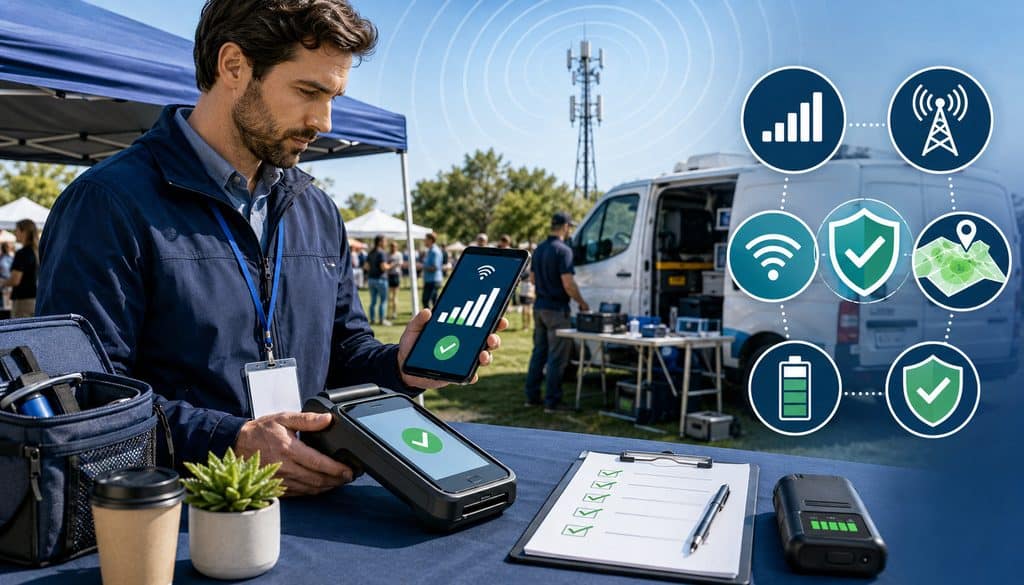
A predeployment connectivity survey should test service where payments will actually happen, using the terminal and provider configuration intended for production.
The survey should check:
- Exact selling or service location
- Indoor and outdoor conditions
- Each supported carrier being considered
- Expected movement path
- Basements, warehouses and loading areas
- Booths, tents and temporary structures
- Alternate carriers where supported
- SIM or eSIM activation
- Data provisioning
- Wi-Fi availability
- Backup connection readiness
Do Not Test Coverage Only in the Parking Lot
A successful transaction outside an arena proves very little about the terminal’s performance inside a concrete exhibition hall.
The FCC explains that its mobile broadband map reflects reported outdoor stationary and in-vehicle coverage rather than indoor service. Walls, underground spaces, low-e glass, metal structures and interior geography can all change the experience.
Test inside the exact booth, warehouse, service bay, customer’s work area, tent, arena section, or concession location. If employees will roam, repeat the test at each expected selling position.
A practical transaction-based test is often more meaningful than looking only at signal bars. Using provider-approved test procedures, confirm that a test transaction can reach the processor, receives a proper response, appears in transaction reporting, and synchronizes with the POS.
Do not establish a universal signal-strength pass/fail threshold unless the terminal or provider documents one for that deployment. Device diagnostics can be valuable, but transaction success under realistic conditions is ultimately what operations must validate.
Carrier Diversity and Cellular Provisioning
Companies that depend heavily on cellular connectivity should consider whether relying on one carrier creates an avoidable single point of failure. This does not mean every company needs multiple carriers, and it does not mean every terminal supports them.
Ask the terminal provider:
- Which carriers does the device support?
- Is the SIM locked to a specific network?
- Is multi-network service supported?
- Can a second device be provisioned on another carrier?
- Is roaming supported?
- Who monitors SIM activation and billing?
- How are replacements provisioned?
Coverage maps can narrow the options, but actual testing should determine which network is practical.
For a larger mobile POS deployment, maintain a simple inventory tying together:
Device → Terminal ID → SIM/eSIM → Carrier → Crew → Merchant Profile → Activation Status
That prevents operations teams from discovering during an outage that nobody knows which network a failed device uses.
Wi-Fi Site Survey and Firewall Validation
A Wi-Fi survey should document more than SSID and password.
Check:
- SSID
- Authentication method
- Signal coverage
- Access-point placement
- Captive portal requirements
- Internet uplink
- Network segmentation
- Firewall restrictions
- Guest isolation behavior
- DHCP or addressing requirements where applicable
- Venue IT contact
- Outage escalation path
Merchant-controlled firewalls should permit the terminal’s legitimate communications according to vendor documentation. That does not mean disabling firewall protections generally.
If a terminal vendor documents specific destinations, ports, certificate requirements, or network behavior, use those requirements and coordinate changes through authorized IT personnel.
Battery, Receipts, Peripherals, and Environmental Requirements
Connectivity is only one part of mobile-terminal reliability. A perfectly connected terminal with a dead battery or incompatible printer still cannot complete checkout properly.
Battery planning should consider:
- Length of the operating shift
- Number and pattern of transactions
- Screen usage and brightness
- Integrated receipt printing
- Cellular and Wi-Fi radio conditions
- Peripheral connections
- Device age
- Environmental temperature
- Availability of charging power
Never assume advertised battery life will match field conditions. Manufacturers normally test products under defined conditions, while a busy merchant may repeatedly wake the display, print receipts, communicate over a weak network, and operate for a long shift.
Run a realistic shift test before launch.
A useful charging plan is:
Device → Approved Charger → Primary Power Source → Backup Charger → Spare Terminal
Vehicle-based field crews may also use approved vehicle charging equipment where supported by the manufacturer. Outdoor merchants should plan protected power access, device rotation, charging responsibility, and safe storage without improvising electrical connections.
Receipt and Printer Planning
Decide before deployment how customers will receive receipts.
Options may include:
- Integrated printed receipt
- Separate network or Bluetooth printer
- Email receipt
- SMS receipt
- Digital receipt through the POS
- Receipt offered according to merchant policy and applicable requirements
Businesses should verify legal, processor, card-network, and provider obligations that apply to their specific receipt workflow rather than assuming one method is universally required.
An integrated printer makes a portable payment terminal more self-contained, but paper and printing can affect battery usage and require additional supplies. A separate printer may provide greater capacity but adds another power source, connection, cable, pairing process, and failure point.
For events, keep compatible paper dry and protected. Confirm roll size before arriving onsite.
Peripheral Compatibility and Field Durability
Portable POS connectivity may involve more than the terminal itself. A mobile deployment can include barcode scanners, cash drawers, tablets, printers, stands, charging cradles, keyboards, Bluetooth accessories, or approved hotspots.
Every peripheral should be tested with the exact payment application and hardware combination being deployed.
If Bluetooth is involved, use secure, provider-approved pairing. PCI SSC notes that PCI DSS protections apply when cardholder data is transmitted using technologies such as Bluetooth, including requirements for protecting transmissions over open, public networks.
Field crews should also evaluate heat, cold, rain exposure, dust, drops, and sunlight readability. Do not assume a device is weather-resistant merely because it looks rugged; check verified manufacturer environmental and IP ratings.
Protective cases and mounts should not block card readers, antennas, printers, ventilation, charging contacts, or other components the manufacturer expects to remain unobstructed.
How Should Payment Terminal Failover Be Planned?
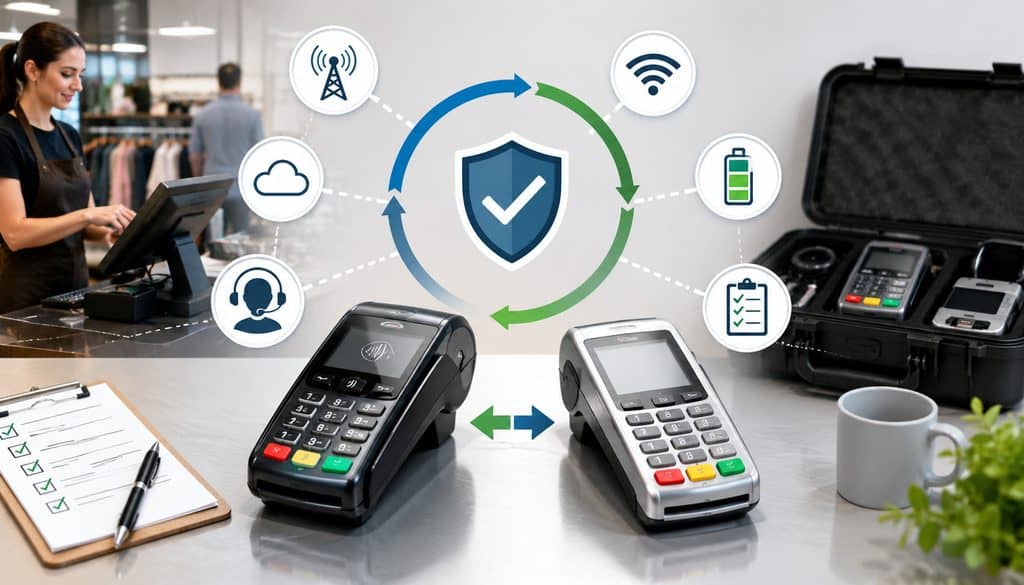
A fallback connection should be planned before the primary network fails.
A practical continuity hierarchy is:
Primary Connection → Secondary Connection → Approved Alternate Terminal → Business Continuity Procedure
Possible designs include:
- Dedicated merchant Wi-Fi primary + cellular terminal backup
- Cellular primary + approved Wi-Fi or hotspot backup
- Devices provisioned on different supported carriers
- Wireless primary + approved wired checkout location
- Primary terminal + separately configured backup device
Redundancy must be genuinely independent. Ten terminals connected to one cellular hotspot are still dependent on one hotspot, one battery, and one cellular connection.
Dual Connectivity, Hotspots, and Offline Processing
Some payment terminals support both Wi-Fi and cellular. That capability is useful only after the merchant understands how the specific device behaves.
Ask whether failover is:
- Automatic
- Manual
- Configurable
- Available only in certain applications
- Dependent on a particular SIM or service plan
Do not assume a terminal will seamlessly switch networks during an active transaction.
Dedicated hotspots can provide another option when approved by the terminal provider and merchant security policy. Validate carrier coverage, Wi-Fi security, battery duration, charging, supported device count, and administrative control.
Smartphone tethering should be used only when merchant policy and terminal/provider documentation permit it. A staff member’s personal hotspot should never become an improvised production network simply because the normal connection failed.
Offline or store-and-forward processing requires even more care. It is a provider-specific capability, not a generic function of all card terminals.
Square’s official documentation, for example, identifies particular hardware, software, payment types, upload requirements, and merchant risks for its own offline-payment functionality. It also explains that transactions accepted offline can later be declined.
That illustrates why merchants must follow their own provider’s documented workflow rather than copying offline procedures from another platform.
Never write down card numbers, photograph cards, save PANs in notes or spreadsheets, or use unsupported manual workarounds during an outage.
Fallback Decision Matrix
| Primary Failure | Approved Fallback | Risk | Staff Action |
| Venue Wi-Fi down | Validated cellular connection | Carrier may also be congested | Switch according to documented procedure |
| Cellular carrier unavailable | Approved Wi-Fi or alternate-carrier terminal | Alternate network may have poor coverage | Verify connection before retrying payment |
| Terminal battery dead | Charged spare terminal | Transaction state may be unknown | Check previous transaction before resuming |
| Printer fails | Approved digital receipt or spare printer | Customer may need receipt | Follow POS receipt workflow |
| Processor outage | Provider-defined continuity procedure | Transactions may not authorize | Check provider status and documented options |
The merchant should also decide what to do if both networks fail. Approved alternative tenders may be part of the business continuity plan where operationally appropriate, but no business should invent insecure card-data storage procedures to keep a line moving.
For another operational perspective, see this discussion of reliable payment processing for emergency and on-demand services.
What Should Be Tested at the Actual Job Site or Event?
Deployment testing should recreate the transaction journey from customer presentation through settlement reporting.
At the actual location, test:
- EMV chip
- Contactless card
- Supported mobile wallet
- Debit where applicable
- Refund or void workflow
- Receipt delivery
- POS synchronization
- Inventory/order update
- Processor reporting
- Wi-Fi stability
- Cellular stability
- Battery behavior
- Printer/peripheral connectivity
- Backup connection
- Support escalation
EMVCo maintains specifications and testing processes for EMV mobile and contactless payment technologies, reinforcing why chip and contactless behavior should be validated with approved payment implementations rather than assumed.
Predeployment Test and Event-Day Smoke Test
Run two stages of validation.
Predeployment Test → Event-Day Smoke Test
The predeployment test verifies the environment while there is still time to fix problems. The event-day smoke test confirms that nothing important changed during final setup.
Where possible, test at approximately the same time of day the venue will operate. Check selling stations after booths, displays, refrigeration equipment, temporary walls, or other infrastructure has been installed because site changes can affect both radio conditions and power availability.
Test every selling zone rather than assuming one successful terminal validates the entire property. If multiple cellular carriers are part of the payment terminal backup connection strategy, test each.
Failover should also be tested deliberately using approved, non-disruptive procedures so staff know how to activate the secondary connection without creating an ambiguous payment state.
| Test | Primary Connection | Backup Connection | Result | Issue |
| Chip transaction | ___ | ___ | Pass/Fail | ___ |
| Contactless | ___ | ___ | Pass/Fail | ___ |
| Refund/void | ___ | ___ | Pass/Fail | ___ |
| Receipt | ___ | ___ | Pass/Fail | ___ |
| POS sync | ___ | ___ | Pass/Fail | ___ |
| Failover | ___ | ___ | Pass/Fail | ___ |
Timeout Does Not Mean Decline
Connectivity problems can create one of the most dangerous operational moments in payment acceptance: an unknown transaction state.
A terminal may send an authorization request and lose connectivity before the response reaches the POS or cashier. The employee sees a timeout and assumes the payment failed, but the issuer or processor may already have approved the original transaction.
That is why:
Timeout ≠ Decline
Before retrying a timed-out payment, staff should use the provider’s transaction lookup, terminal history, POS records, support tools, or other approved status-check procedure to determine the authoritative state.
If an API-driven payment flow is involved, developers should follow the provider’s documented retry and idempotency design where available. Cashiers should not repeatedly run the same card simply because the screen did not return a clear response.
The workflow should be:
- Stop the retry.
- Check transaction history/status.
- Confirm whether an authorization exists.
- Determine whether it was captured, reversed, pending, or unknown.
- Follow the processor/POS provider’s approved resolution procedure.
- Retry only after confirming that a new transaction is appropriate.
This prevents a network problem from becoming a duplicate-charge problem.
Settlement, Multi-Day Events, and Multi-Crew Tracking
A successful authorization proves that a card transaction reached the payment system. It does not, by itself, prove that accounting and settlement are configured correctly.
Deployment testing should connect:
Terminal Transaction → POS → Processor Report → Batch/Settlement
Finance should verify that test or early live transactions appear in the expected reports and merchant account. For a longer event, checking the first expected deposit can help detect configuration problems before several days of transactions accumulate.
Merchants should understand whether their environment uses automatic batch close, manual batch close, or cloud-driven settlement. Do not assume a universal cutoff time; batch and funding behavior depends on the processor, acquiring setup, POS platform, merchant configuration, bank calendar, and transaction type.
Multi-day events should add an end-of-day routine covering:
- Device charging
- Paper replenishment
- Pending transaction review
- Batch or settlement status
- Secure overnight storage
- Incident-log review
- Connectivity check before reopening
Temporary locations should also be mapped to the proper merchant identity, terminal profile, MID or location configuration established by the processor. Businesses should not route transactions through an incorrect merchant identity simply because a terminal is available.
Multi-Crew Device Inventory
Field organizations need stronger asset tracking than a single pop-up booth.
Maintain:
Crew → Device → Terminal ID → SIM/Network → MID/Location → User
| Device | Terminal ID | Crew/Location | Primary Network | Backup | Charger | Status |
| ___ | ___ | ___ | ___ | ___ | ___ | Ready/Issue |
| ___ | ___ | ___ | ___ | ___ | ___ | Ready/Issue |
| ___ | ___ | ___ | ___ | ___ | ___ | Ready/Issue |
Assign unique staff identities where supported and limit administrative functions according to role. Refunds, network changes, configuration, and other sensitive functions should not automatically be available to every cashier.
If a terminal is lost or stolen:
- Report it immediately.
- Disable or deactivate it through approved systems where supported.
- Preserve relevant logs.
- Remove or restrict account access.
- Notify the processor or terminal provider.
- Follow the organization’s incident-response process.
Never attempt to defeat device security to recover access.
PCI DSS and Security for Mobile Payment Deployments
Temporary selling locations do not suspend payment-security responsibilities.
PCI SSC states that payment terminals involved in storing, processing, or transmitting account data are part of the cardholder data environment and must be managed according to applicable PCI DSS requirements. Merchants also need to understand vendor configuration requirements and ensure security functions have not been disabled.
PCI SSC further notes that payment terminals should be reviewed for supported applications, security updates, remote access controls, and protection against tampering and substitution.
Before deployment:
- Use approved and supported devices
- Confirm device identity and serial number
- Inspect for damage or unexpected attachments
- Use unique user access where supported
- Protect administrator credentials
- Use provider-approved networks
- Keep software and terminal management current
- Restrict remote support to authorized personnel
- Avoid storing sensitive card data outside approved systems
- Secure terminals when unattended
Remote support should use authorized tools, strong authentication and logged access where supported. Staff should never install unknown remote-access applications because someone claiming to be support asks them to.
For broader operational context, this article on balancing payment speed, security, and convenience reinforces why mobile operations should not trade basic security controls for convenience.
Staff Training, Troubleshooting, and Event-Day Monitoring
The best technical design still fails if employees do not know what to do when something goes wrong.
Each crew member should understand:
- Normal card-sale workflow
- Decline behavior
- Network timeout behavior
- How to check transaction status
- How to reload printer paper
- Battery warning procedure
- Approved fallback activation
- Who to contact
- When not to retry
- How to secure the device
A field crew quick guide can be short:
Before Shift → Test Connection → Check Battery → Check Printer → Test Payment → Verify Backup → Begin Taking Payments
Support escalation should also be documented rather than improvised:
Crew Member → Team Lead → Internal IT/Operations → POS or Terminal Provider → Processor/Carrier/Venue IT
The exact route depends on the failure. Venue Wi-Fi issues should normally reach venue IT, while an authorization-service incident belongs with the payment provider or processor.
Keep support contact information available without storing sensitive passwords or administrative credentials on a public contact card.
Safe Network Troubleshooting
When a wireless payment terminal stops communicating, employees should start with basic, reversible checks:
- Confirm the terminal is powered
- Check battery condition
- Confirm the expected network indicator
- Verify whether other approved devices are affected
- Try the documented backup connection
- Check provider status where available
- Escalate to the appropriate support team
Staff should not randomly change security modes, delete profiles, disable firewall protections, factory-reset equipment, or repeatedly retry ambiguous payments.
Some provider workflows impose specific precautions around pending offline transactions. Square, for example, warns users that certain actions while offline payments are pending can cause them to be lost. The correct troubleshooting workflow therefore depends on the provider and should be documented before deployment.
Venue Coordination and Incident Logging
Before a major event, ask venue IT:
- Is dedicated merchant Wi-Fi available?
- Is it separate from public guest access?
- Is there a captive portal?
- Are terminal communication restrictions known?
- What coverage exists at the booth?
- Is there onsite support?
- What is the outage escalation process?
- Can merchants conduct a pre-event test?
For cellular-heavy deployments, operations may also discuss expected service conditions with carriers or connectivity providers when practical, particularly for large temporary sites.
During operation, log meaningful connectivity incidents.
| Time | Device | Network | Issue | Customer Impact | Resolution |
| ___ | ___ | ___ | ___ | ___ | ___ |
| ___ | ___ | ___ | ___ | ___ | ___ |
Track transaction failures, timeouts, battery problems, device outages and failover events without inventing universal acceptable failure thresholds.
Total Cost and the Cellular vs Wi-Fi Decision Matrix
Device price alone does not determine the cost of portable POS connectivity.
Cellular deployments may involve:
- SIM or eSIM service
- Data plans
- Carrier management
- Fleet management
- Backup-carrier devices
- Mobile device management
Wi-Fi deployments may involve:
- Venue internet charges
- Access points
- Routers or networking equipment
- Network engineering
- Onsite IT
- Cabling or backhaul
- Dedicated network fees
The lowest-priced connection may be expensive operationally if checkout repeatedly stops during peak periods.
The better comparison is the total cost of maintaining usable, supportable payment acceptance.
| Requirement | Cellular | Wi-Fi | Hybrid |
| High mobility | Strong candidate | Depends on coverage footprint | Strong candidate |
| Merchant-controlled fixed booth | Good backup/option | Strong candidate | Strong candidate |
| Outdoor use | Strong where coverage validated | Strong only with outdoor infrastructure | Often attractive |
| Crowded venue | Must test congestion | Must test venue capacity | Offers additional resilience |
| Field crew | Often strong fit | Situational | Strong where operational risk is high |
| Reliable dedicated venue network | Optional | Strong fit | Useful for backup |
| Independent backup required | Another carrier/network needed | Cellular often useful | Designed around redundancy |
When Cellular Usually Fits Best
Cellular often makes sense when employees move continuously, operate outdoors, travel among customer locations, or cannot rely on local networking.
Its greatest value is independence, not guaranteed superiority. The terminal still depends on its supported carrier, provisioning, coverage, radio conditions and network availability.
A cellular-first field crew POS deployment should therefore validate frequently served territories and identify known dead zones before standardizing hundreds of devices.
When Wi-Fi Usually Fits Best
Wi-Fi is often attractive for a fixed temporary location where the merchant or venue can provide a dedicated, properly secured, professionally supported network.
A group of terminals in one defined selling area may be easier to support through infrastructure specifically designed for that location.
The key distinction is network quality and control. “Venue has Wi-Fi” and “venue provides a tested merchant network with onsite support” are very different statements.
When Hybrid Connectivity Fits Best
Hybrid connectivity is often worth evaluating when payment interruption would create significant operational problems.
A hybrid design might use:
Primary Wi-Fi → Cellular Backup
or
Primary Cellular → Approved Wi-Fi Backup
The goal is not simply to add another radio. The secondary connection should reduce dependence on the same failure point.
Merchants must verify how their actual hardware switches connections because dual-connectivity support does not guarantee automatic failover.
Common Payment-Terminal Deployment Mistakes
Many mobile-payment failures begin before the event or crew shift.
Common mistakes include:
- Ordering terminals without testing the selling location
- Assuming venue guest Wi-Fi will be adequate
- Treating carrier coverage maps as guarantees
- Relying on a single untested carrier
- Connecting every terminal to one hotspot
- Ignoring battery requirements
- Forgetting chargers
- Running out of receipt paper
- Failing to test printers and Bluetooth peripherals
- Assuming offline processing works on every device
- Failing to document network failover
- Training staff to retry every timeout
- Testing only in an office
- Failing to inspect devices
- Neglecting processor reporting and settlement verification
One of the most dangerous mistakes is improvising when connectivity disappears. Staff should never write down card numbers, photograph payment cards, place PANs in spreadsheets or messaging apps, or attempt unsupported manual processing.
The safer approach is to build continuity procedures while the network is functioning and ensure every employee knows them.
Cellular and Wi-Fi Payment Terminal Deployment Checklist
Use this checklist before every major pop-up, event, field-service rollout or seasonal deployment.
| Area | Verified? |
| Transaction volume estimated | ☐ |
| Mobility pattern documented | ☐ |
| Cellular coverage tested onsite | ☐ |
| Wi-Fi coverage tested onsite | ☐ |
| Carrier options reviewed | ☐ |
| Captive portal checked | ☐ |
| Terminal/network compatibility verified | ☐ |
| Battery tested under realistic workload | ☐ |
| Chargers available | ☐ |
| Spare device plan established | ☐ |
| Receipt method confirmed | ☐ |
| Printer paper stocked | ☐ |
| Peripherals tested | ☐ |
| Backup connectivity validated | ☐ |
| Chip transaction tested | ☐ |
| Contactless tested | ☐ |
| Refund/void tested | ☐ |
| POS sync tested | ☐ |
| Timeout procedure documented | ☐ |
| Staff trained | ☐ |
| Support contacts ready | ☐ |
| Device security inspection completed | ☐ |
| Settlement/reconciliation tested | ☐ |
For post-event review, document which network performed best, where dead zones appeared, whether battery assumptions were accurate, which devices failed, how often backup connectivity was needed, and whether accounting reconciled all event transactions.
The result should feed directly into the next deployment instead of resetting planning to zero.
Questions to Ask Before Choosing a Terminal or Network
A strong purchasing decision begins with operational questions rather than a feature list.
Ask the terminal or POS provider:
- Does this model support cellular, Wi-Fi, or both?
- Which cellular carriers and technologies are supported?
- Is SIM/eSIM service included or separately provisioned?
- Can it move between Wi-Fi and cellular?
- Is failover automatic, manual, or application dependent?
- What happens after a network timeout?
- How should staff verify an uncertain transaction?
- Is provider-supported offline/store-and-forward available?
- Which devices and payment types support offline behavior?
- What risks apply to offline transactions?
- What battery performance should we expect under our workload?
- Is the printer integrated?
- Which peripherals are certified or supported?
- Can devices be managed remotely?
- What diagnostic and connectivity information is available?
- What is the recommended site-test procedure?
Ask the venue or job-site contact:
- Is dedicated Wi-Fi available?
- Is it separate from attendee Wi-Fi?
- Does it use a captive portal?
- Is it designed for merchant devices?
- Is service available at our exact selling location?
- Who supports the network onsite?
- What happens during an outage?
- Can we test before opening?
- Are there areas known to have weak cellular coverage?
Operations should answer:
- How many terminals are required?
- Where will each one operate?
- How long must the battery last?
- How many checkout points may operate simultaneously?
- Who carries backup devices?
- What happens if both networks fail?
- Who approves network changes?
- How are terminals stored after hours?
- Who reviews incidents?
- Who reconciles transactions and deposits?
Frequently Asked Questions
Is a cellular payment terminal better than a Wi-Fi terminal?
Not universally. Cellular may be preferable for roaming field crews and temporary locations where dependable Wi-Fi is unavailable. Wi-Fi may be better for a fixed booth using a well-designed, merchant-controlled network.
The deciding factor should be real-world validation. Test both connections at the actual selling location, during realistic operating conditions, and evaluate fallback options before selecting the primary network.
When should a merchant use cellular payment terminals?
Cellular is worth strong consideration when workers travel among customer sites, operate outdoors, work from vehicles, move around events, or cannot depend on venue networking.
Coverage still needs to be validated. A cellular POS terminal is only useful when its supported carrier provides workable service where transactions occur.
Is venue Wi-Fi safe for card terminals?
It can be, but the configuration matters. A dedicated, properly secured venue operations network is very different from an open public guest network.
Confirm authentication, encryption, captive-portal behavior, access restrictions, vendor compatibility and onsite support. Payment devices should use provider-approved configurations rather than unsecured or improvised networks.
Can crowded events slow down payment terminals?
Yes. Crowds can place heavy demand on Wi-Fi access points, venue internet connections and cellular infrastructure.
A connection that works well during an empty-room test can behave differently when thousands of people arrive. Test close to actual operating conditions and maintain an independent backup where payment continuity is important.
How should cellular coverage be tested before an event?
Start with carrier and FCC coverage information, then test the actual terminal onsite. Run provider-approved test transactions at every important booth or selling zone. Test indoor areas, temporary structures and roaming paths rather than relying on a parking-lot test or signal bars alone.
Should merchants use more than one cellular carrier?
It can improve resilience when cellular connectivity is business-critical, but it is not necessary or supported in every deployment.
Determine which networks the terminal supports, test each relevant carrier, and decide whether a separately provisioned backup device or multi-network solution provides enough operational value to justify the additional complexity.
Can a payment terminal use both Wi-Fi and cellular?
Some terminals can, but capabilities vary by model, processor and application.
Merchants should confirm whether both connections are supported simultaneously, how the terminal chooses between them, and whether failover is automatic or requires staff action. Never assume dual-network hardware automatically provides seamless redundancy.
What happens if a payment terminal loses internet during a transaction?
The transaction may fail before authorization, or the request may reach the payment system while the terminal fails to receive the final response. That creates an unknown state. Staff should check transaction history or provider status before retrying because a timeout does not necessarily mean the payment was declined.
Should staff retry a card after a payment timeout?
Not immediately.
First determine whether the original transaction was approved, pending, reversed, declined or never received. Use the POS or processor’s documented transaction-status workflow. Blindly retrying can create duplicate authorizations or charges.
How long should a portable payment terminal battery last?
There is no universal number that applies to all devices and deployments.
Battery life depends on hardware, screen usage, network conditions, printing, transaction activity, software, temperature and battery age. Test the actual device through a realistic work shift and build a charging and spare-terminal plan around the observed results.
Do mobile payment terminals need receipt printers?
Not necessarily. Some businesses rely mainly on digital receipts, while others need or prefer printed receipts.
Determine your operational, customer, legal and provider requirements. If printing is necessary, decide whether an integrated or separate printer is more appropriate and test paper supply, power and connectivity.
What backup connectivity should a pop-up merchant have?
The best backup is usually independent from the primary failure point.
Examples include dedicated Wi-Fi with cellular backup, cellular with approved Wi-Fi backup, different carrier connections, or an alternate approved terminal. The backup should be configured and tested before customers arrive.
What transactions should be tested before an event starts?
At minimum, test the payment methods and workflows staff will actually use, including EMV chip, contactless, relevant debit, receipt generation, POS synchronization, refunds or voids, reporting and backup connectivity. Complete the test by confirming the transaction appears in processor and settlement reporting.
Is offline payment processing safe?
Provider-supported offline processing can be an approved continuity feature, but it introduces operational and financial risks because transactions may not receive real-time authorization.
Support varies by device, application and payment type. Follow the provider’s documentation exactly and understand how pending transactions, later declines, uploads and reconciliation are handled.
What should field crews carry in a payment-terminal deployment kit?
A practical kit may include the assigned terminal, approved charger, compatible cables, backup power where permitted, receipt paper if needed, tested peripherals, protective case, approved backup-connectivity equipment and a support contact card.
The crew should also know its terminal ID, assigned network, fallback procedure and timeout-response workflow without carrying sensitive administrative credentials.
Conclusion
Choosing between a cellular payment terminal and a Wi-Fi Payment Terminal is not really a contest between two radio technologies. It is a reliability and deployment decision.
Cellular often fits field service card processing, mobile routes, outdoor sellers and crews that cannot depend on local infrastructure.
Wi-Fi can be an excellent choice for fixed pop-ups, kiosks and event operations when the merchant has a properly designed, secured and supported network. Businesses with greater operational exposure may benefit from a validated hybrid design with an independent backup.
The decision should follow a repeatable workflow:
Understand the Business → Map Mobility → Estimate Transaction Activity → Survey Cellular and Wi-Fi → Select Supported Hardware → Test Batteries and Peripherals → Build Failover → Test the Actual Site → Train Staff → Monitor Operations → Reconcile Payments → Review the Deployment
Do not rely solely on coverage maps, signal bars, device specifications or venue promises. Run real payment tests where staff will stand and where customers will present their cards.
Most importantly, document what happens when connectivity fails. Staff should know how to check an uncertain transaction before retrying, how to activate approved fallback connectivity, and why card numbers must never be written down or stored through improvised methods.
Payment, network and security disclaimer: Terminal connectivity, carrier support, Wi-Fi compatibility, battery behavior, offline-processing capability, failover, settlement configuration and security requirements vary by device, processor, acquirer, POS platform, carrier and deployment.
Merchants should verify their actual terminal specifications, provider documentation, PCI DSS responsibilities, network configuration and business-continuity procedures with the appropriate providers before accepting live payments.